States of Power Scenario Editor Guide
Design custom countries, borders, events, and alternate histories with the States of Power built-in Scenario Editor.
Accessing the Scenario Editor
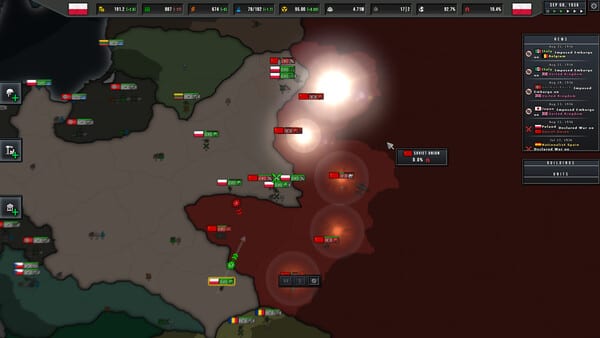
The Scenario Editor is built directly into States of Power — no external tools or modding knowledge required. Access it from the main menu under Create. The editor opens in a separate mode that shares the same map interface as the main game, making it immediately familiar to anyone who has played a campaign.
The editor is divided into four core sections: Map Editing, Country Design, Event Scripting, and Scenario Settings. Each section is accessible via the ribbon toolbar at the top of the screen.
Map Editing
The Map Editor lets you redraw province borders, change terrain types, adjust infrastructure levels, and place or remove strategic resources such as oil fields, steel deposits, and agricultural regions. You can also toggle province ownership between nations and set starting nation borders for the year 1936 or any custom start date.
To edit a province, click it on the map and use the province inspector panel on the right to modify its properties. Hold Shift and drag to select multiple provinces for bulk editing. Changes take effect immediately in the editor preview.
Country Design
The Country Designer lets you create entirely new nations or modify existing ones. Each country has a name, flag colour, ideology, leader portrait, and starting national focus tree. You can adjust a nation’s starting technology level, industrial capacity, resource reserves, and existing division templates.
For fictional scenarios, you can erase any nation’s existence from the map entirely and redistribute its provinces to neighbouring countries or newly created nations. This is the primary tool for building alternate history scenarios such as a world where the Axis won or where a third world war erupted in the 1950s.
Event Scripting
Events drive narrative progression in custom scenarios. The Event Scripting system uses a trigger-and-action framework. A trigger is any game state condition such as a province being captured, a nation declaring war, a date being reached, or a technology being researched.
When a trigger fires, you can define one or more actions: transfer territory between nations, spawn or disband divisions, grant or remove resources, modify diplomatic relationships, play a narrative text box, or adjust national modifiers such as public order or production efficiency.
The Event Editor includes a logic tester that lets you step through event chains manually to verify they fire correctly. You can also import and export event chains as JSON files for sharing or backup.
Scenario Settings
Scenario Settings control the overall campaign parameters. Here you set the start date, end date (or enable unlimited mode), victory conditions, AI aggression levels, and game rules such as whether nation-switching is allowed or if diplomacy is restricted.
You can also configure the default technology level for all nations, enable or disable specific ideology paths, and set global economic modifiers such as a depression or boom period. These settings let you create anything from a historically faithful 1936 campaign to a futuristic scenario where technology has advanced decades beyond the WW2 era.
Publishing Your Scenario
When your scenario is complete, you can save it as a .sop file and share it directly with friends or upload it to the Steam Workshop for the community to play. The Scenario Browser on the main menu displays all installed scenarios with thumbnails, descriptions, and player ratings.
Before publishing, run the built-in Scenario Validator to check for common errors such as provinces with no owning nation, events with invalid triggers, or nations with no starting divisions. The validator identifies issues and highlights them on the map so you can resolve them before release.
Frequently Asked Questions
Quick answers to the most common questions about States of Power.
Can I create fantasy scenarios with fictional nations?
Yes. The Country Designer lets you create entirely fictional nations with custom flags, colours, and starting conditions. There are no restrictions on historical accuracy — you can create fantasy worlds, science-fiction settings, or purely hypothetical historical scenarios.
How do events work in the Scenario Editor?
Events are scripted using a condition-action system. You define a trigger condition (such as a province being captured) and then define what happens when that condition is met (such as spawning a new division or transferring territory). The Event Editor provides a visual interface for building these chains.
Can I modify the technology tree in custom scenarios?
You can set the starting technology level for each nation, but the technology tree structure itself is fixed in the base game. Custom scenarios can determine which technologies nations begin with, not which ones they can ultimately research.